If you're evaluating email providers for yourself or your business, you've probably typed "is Zoho Mail safe" into a search bar more than once. It's a fair question — your inbox holds invoices, contracts, OTPs, and conversations you can't afford to lose or leak.
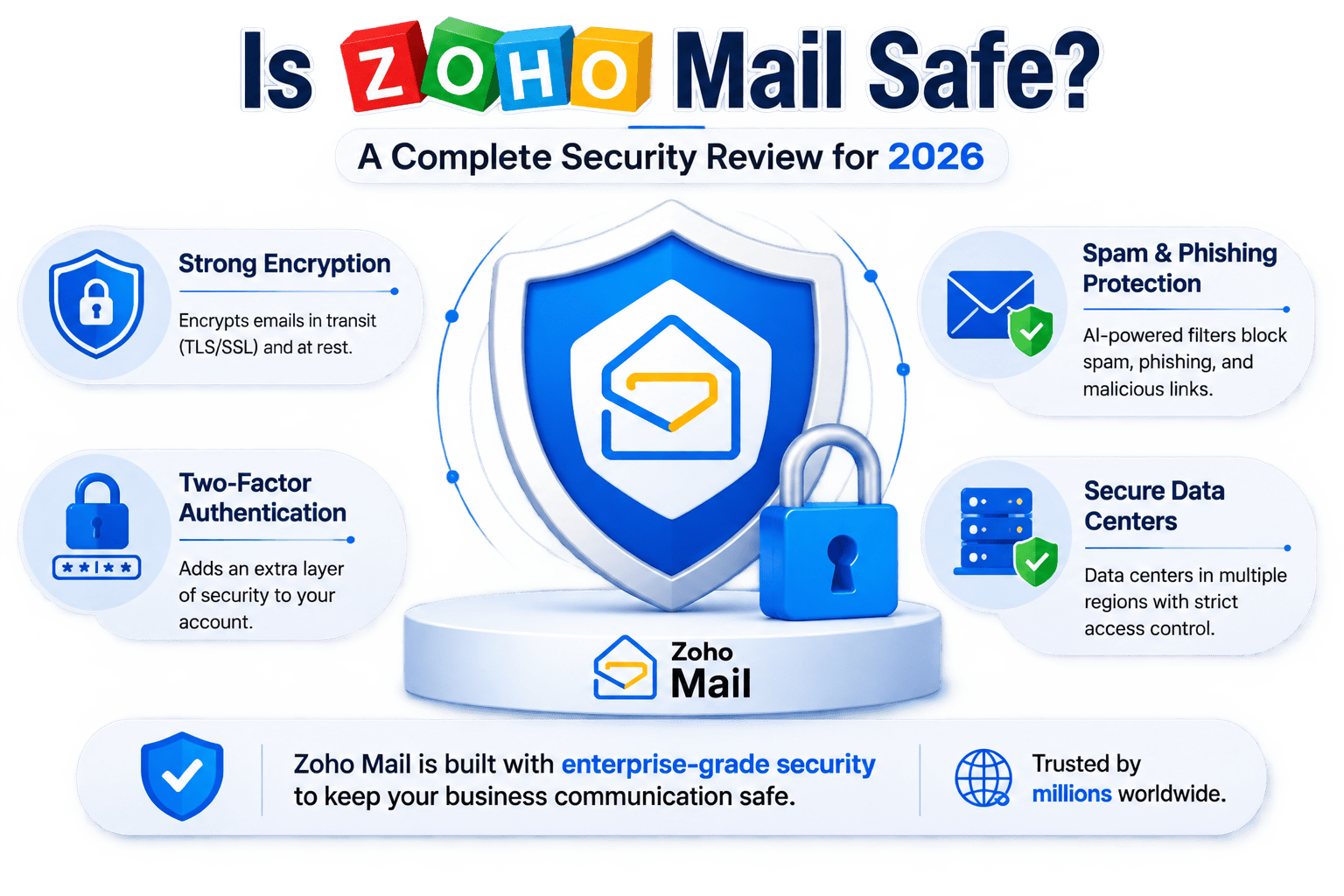
Short answer: Yes, Zoho Mail is safe. It uses encryption in transit and at rest, offers two-factor authentication, runs AI-based spam and phishing filters, and operates secure data centers across multiple regions. It's used by millions of individuals and businesses worldwide, including many enterprises that have migrated away from Gmail and Outlook for better data control.
That said, "safe" isn't a yes/no switch, it depends on how the service is configured and how you use it. In this blog, we'll break down exactly what makes Zoho Mail secure, where its limits are, and how to lock down your account properly.
Is Zoho Mail Safe? Quick Answer
Security Aspect | Zoho Mail Status |
Encryption in transit (TLS/SSL) | ✅ Yes |
Encryption at rest | ✅ Yes |
End-to-end encryption (S/MIME, OpenPGP) | ✅ Available, needs setup |
Two-Factor Authentication (2FA) | ✅ Yes |
Spam & phishing filtering | ✅ AI-powered |
Malware/attachment scanning | ✅ Yes |
Ad-based data mining | ❌ No (Zoho doesn't sell data for ads) |
Data center locations | US, Europe, India, China (region-based) |
Compliance | GDPR, HIPAA (on eligible plans) |
What Makes Zoho Mail Secure
Encryption in Transit and at Rest
Zoho Mail encrypts your data at two key points. While emails travel between your device and Zoho's servers, they're protected using SSL/TLS connections, so nobody can intercept and read them mid-transit. Once emails reach Zoho's servers, they're stored in an encrypted format — your data is split into fragments and each fragment is encrypted separately before being saved to disk. The keys used for this encryption are managed with strict security protocols.
Optional End-to-End Encryption
For messages that need an extra layer of protection — contracts, legal documents, financial data — Zoho Mail supports S/MIME and OpenPGP. These standards encrypt the message content itself, with the decryption keys stored securely on Zoho's servers. Keep in mind this level of encryption typically needs to be enabled and supported on both the sender's and recipient's side to work seamlessly.
Two-Factor Authentication (2FA)
Passwords alone aren't enough anymore. Zoho Mail lets you add 2FA through SMS or an authenticator app, so even if your password is compromised, your account stays protected behind a second verification step. This is one of the simplest, highest-impact steps any user or admin can take.
Spam, Phishing, and Malware Protection
Zoho Mail runs strong spam filters, AI-powered phishing detection to flag suspicious senders, and malware scanning on attachments before they can cause harm. This matters because most real-world email breaches don't come from broken encryption — they come from users clicking malicious links.
Secure, Distributed Data Centers
Zoho operates data centers across the US, Europe, India, and other regions, each with round-the-clock surveillance and restricted physical access. This also helps businesses meet regional data-residency requirements like GDPR.
No Ad-Based Data Mining
Unlike some free email providers that scan inbox content to serve targeted ads, Zoho has positioned itself as a privacy-first alternative — it doesn't build advertising profiles from your email content. For businesses and privacy-conscious users, this is often a deciding factor when comparing Zoho Mail vs Gmail.
Where Zoho Mail Has Limitations
No email provider is 100% risk-free, and it's important to be realistic:
- Baseline encryption isn't the same as true E2E encryption. By default, Zoho's TLS-in-transit and encryption-at-rest protect your data from outside interception, but true end-to-end encryption (where only sender and recipient can decrypt) needs S/MIME/OpenPGP setup or a third-party add-on.
- Security depends on configuration. If 2FA isn't turned on, or admins don't enforce strong password policies, the account is only as secure as its weakest setting.
- Human error remains the biggest risk. Weak passwords, reused credentials, and clicking phishing links can bypass even the best backend security.
How to Make Your Zoho Mail Account Even Safer?
- Turn on two-factor authentication immediately.
- Use a strong, unique password — never reuse one from another account.
- Review your Zoho Mail privacy and data-sharing settings periodically.
- Enable S/MIME or OpenPGP for sensitive business communication.
- Set up login alerts to get notified of access from new devices or locations.
- Train your team to recognize phishing attempts, since technology alone can't stop human error.
Zoho Mail vs Other Providers: A Quick Comparison
Feature | Zoho Mail | Gmail | Outlook |
Ad-based content scanning | No | Historically yes (business ads reduced now) | No |
Free plan available | Yes | Yes | Yes |
End-to-end encryption option | Yes (S/MIME, OpenPGP) | Limited | Yes (Microsoft 365 add-ons) |
Business-focused features | Strong (part of Zoho Workplace) | Strong | Strong |
Data residency options | Multiple regions | Limited | Multiple regions |
Is Zoho Mail Good for Businesses?
For businesses, Zoho Mail is more than just an inbox — it's part of Zoho Workplace and integrates with Zoho CRM, Zoho Books, and other apps that many companies already run their operations on. This makes it a practical choice if you're already in the Zoho ecosystem or planning to move into it.
That said, getting the security settings, domain configuration, and migration right isn't always straightforward, especially when moving existing mailboxes over without losing data or downtime. This is where working with a Zoho Authorized Partner like Apex Star Tech helps. As a certified Zoho implementation and support partner, Apex Star Tech handles Zoho Mail setup, secure migration to Zoho, and ongoing Zoho Partner Support so your business email is configured securely from day one — not patched together after an issue comes up.