Zoho Desk Explained
What is Zoho Desk?
Zoho Desk is a help desk platform developed by Zoho Corporation. It is designed to help businesses handle customer communication in a structured way using a ticket-based system.
In practical terms, whenever a customer sends a query, whether through email, chat, or a website form, the system converts it into a ticket. This ticket is then assigned to a support agent, tracked, and resolved within a defined process.
Unlike traditional support methods where messages can get lost or delayed, Zoho Desk ensures that every customer issue is recorded and handled properly. This structured approach is the main reason businesses adopt help desk systems.
How Zoho Desk Works
To understand its real value, it is important to look at how Zoho Desk works in day-to-day operations.
When a customer raises a query, the system automatically captures it and creates a ticket. This ticket includes all necessary details such as customer information and the issue raised. Based on predefined rules or manual assignment, the ticket is routed to the appropriate agent.
The agent then communicates with the customer, updates the ticket status, and works toward resolving the issue. Once resolved, the ticket is closed, and in many cases, feedback is collected to measure satisfaction.
This entire process happens in a structured and trackable way, which is not possible with regular email or messaging tools.
Key Features of Zoho Desk
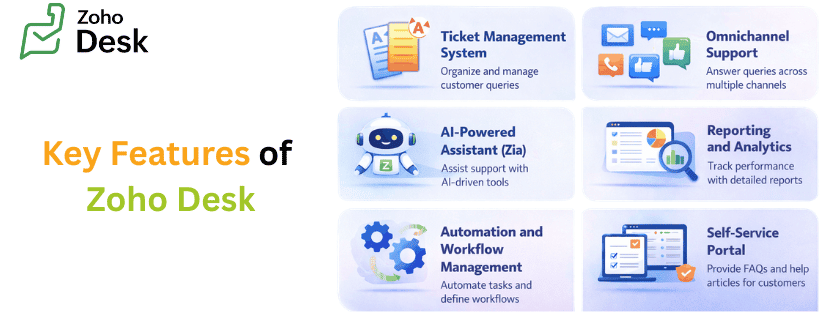
Zoho Desk offers a wide range of features, but the focus remains on making customer support simple, organized, and efficient.
Ticket Management System
The ticketing system is the core of Zoho Desk. Every customer interaction becomes a ticket, which helps teams manage and track issues without confusion. Tickets can be categorized, prioritized, and assigned based on urgency or type.
This ensures that no request is missed and that critical issues are handled first. It also creates accountability within the team, as each ticket is assigned and tracked until completion.
Omnichannel Support
Modern customers use different platforms to contact businesses. Zoho Desk supports multiple channels such as email, live chat, phone, and social media.
Instead of managing each channel separately, all messages are brought into a single dashboard. This makes it easier for support teams to respond quickly and consistently.
This feature is especially useful for businesses that receive a high volume of queries across different platforms.
AI-Powered Assistant (Zia)
Zoho Desk includes an AI assistant called
, which helps improve support efficiency. It can suggest responses to agents, analyze customer sentiment, and automatically tag tickets.While it does not replace human agents, it supports them by reducing repetitive tasks and improving response accuracy. This leads to faster and more consistent communication.
Automation and Workflow Management
Automation plays a key role in improving efficiency. Zoho Desk allows businesses to create rules for ticket assignment, escalation, and notifications.
For example, tickets can be automatically assigned based on department or priority. If a ticket is not resolved within a specific time, it can be escalated to a higher level.
This reduces manual work and ensures that service standards are maintained.
Self-Service Portal
Not every customer wants to contact support for simple issues. Zoho Desk allows businesses to create a self-service system with FAQs and help articles.
Customers can search for solutions on their own, which reduces the number of support requests. This is particularly useful for common queries that do not require agent involvement.
Reporting and Analytics
Zoho Desk provides detailed reports that help businesses understand their support performance. It tracks metrics such as response time, resolution time, and customer satisfaction.
These insights help businesses identify gaps and improve their service quality over time.
Customization and Integrations
Every business has different needs, and Zoho Desk allows customization to match those needs. It supports custom fields, workflows, and layouts.
It also integrates with tools like Zoho CRM, Slack, and Microsoft Teams. This makes it easier to connect customer support with other business functions.
Benefits of Using Zoho Desk
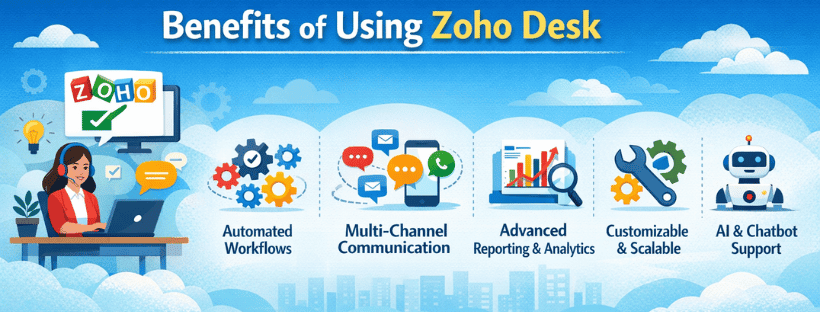
The real value of Zoho Desk comes from how it impacts business operations and customer experience.
Improved Customer Experience
When customer queries are handled quickly and properly, satisfaction naturally improves. Zoho Desk ensures that responses are timely and consistent.
Customers do not have to repeat their issues, and they receive clear communication throughout the process. This builds trust and improves long-term relationships.
Better Team Productivity
Without a system, support teams often struggle with scattered communication. Zoho Desk organizes all tasks in one place, making it easier for agents to manage their workload.
Automation further reduces manual effort, allowing teams to focus on solving problems instead of managing processes.
Centralized Data Management
All customer interactions are stored in one system. This makes it easy to access previous conversations and understand the full context of an issue.
This is especially useful when multiple agents handle the same customer over time.
Cost-Effective for Growing Businesses
Zoho Desk offers different pricing plans, including a free option. This makes it accessible for small businesses and startups.
As the business grows, the system can be scaled with additional features and capabilities.
Supports Data-Driven Decisions
With access to reports and analytics, businesses can make informed decisions. They can identify common issues, measure team performance, and improve processes based on real data.
Zoho Desk vs Other Help Desk Software
One key difference is its strong integration with the Zoho ecosystem, which is useful for businesses already using Zoho products. It is also known for offering a balance between features and affordability.
While all these platforms provide similar core functionalities such as ticketing and automation, the choice usually depends on business size, budget, and existing tools.
Who Should Use Zoho Desk?
Zoho Desk is suitable for a wide range of businesses. It is commonly used by startups, small businesses, and large enterprises.
E-commerce companies benefit from it by managing order-related queries efficiently. IT teams use it as a help desk for internal issue tracking. SaaS companies use it to provide structured customer support during onboarding and ongoing usage.
The flexibility of the platform makes it suitable for any business that deals with customer queries regularly.
Industries That Benefit from Zoho Desk
The common factor across these industries is the need to handle customer communication efficiently. Since Zoho Desk is not limited to a specific sector, it can be adapted to different use cases.
Zoho Desk Pricing Overview
Businesses can start with a basic plan and upgrade as their needs grow. This flexibility makes it a practical option for companies at different stages.
Pros and Cons of Zoho Desk
Zoho Desk offers several advantages, including ease of use, strong automation features, and affordable pricing. It is also scalable, which makes it suitable for growing businesses.
However, advanced features may require some learning, especially for teams that are new to help desk systems. Additionally, some features are limited in lower-tier plans.
Understanding these factors helps businesses make an informed decision.
Real Use Cases of Zoho Desk
In real-world scenarios, Zoho Desk is used by customer support teams to manage daily queries in a structured way. E-commerce businesses use it to handle returns, refunds, and delivery issues.
IT teams use it as an internal help desk to track technical problems. SaaS companies use it to manage customer onboarding and provide ongoing support.
These use cases highlight its practical value across different business functions.
How to Get Started with Zoho Desk
Getting started with Zoho Desk involves setting up an account, configuring the ticket system, and defining workflows. Businesses can also create a knowledge base and train their teams to use the platform effectively.
A proper setup ensures that the system delivers maximum value from the beginning.
Conclusion
Zoho Desk is a structured and reliable solution for managing customer support. It brings all customer communication into one platform, organizes it through a ticketing system, and improves overall efficiency.
For businesses in India, it offers a practical combination of affordability, scalability, and functionality. By reducing manual work and improving response quality, Zoho Desk helps businesses deliver better customer experiences and build stronger relationships over time.